
Automation
AI Voice Control — run VesperForge by speaking
Voice Control turns VesperForge into a conversation. Say what you want and it happens — new subscriptions, price changes, cancellations, or a quick spending summary — with continuous listening you can interrupt mid-sentence, just like talking to a person. talk to manage mcp connection.
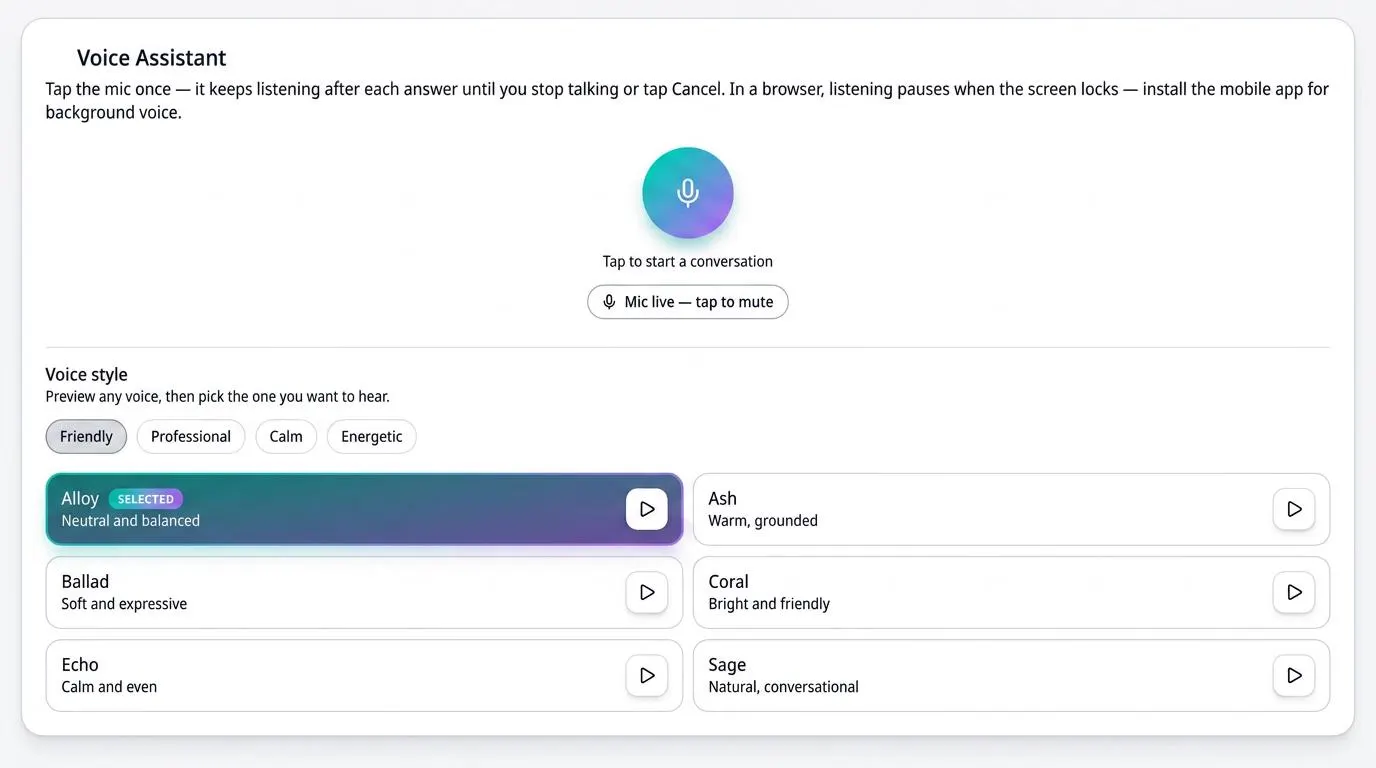
How it works
- 1
Open voice control
Tap the microphone in your dashboard. Continuous listening starts immediately — no wake word needed.
- 2
Say what you need
"Add Netflix for $15.99 monthly", "cancel my gym", or "what renews this week?" — it asks only for the details it is missing.
- 3
Watch it happen live
Your dashboard updates as you speak, and you can interrupt the assistant at any moment to change direction.
Benefits
- Fully hands-free, continuous conversation
- Interrupt anytime — no waiting for the assistant to finish
- Add, update, delete, and review subscriptions by voice
- Slot-filling: it asks only for the missing details
- Connect Grok, Claude, and other assistants with a personal key you can revoke
Frequently asked questions
Does it work while my screen is off?
On the installed app, background audio keeps the conversation running so you can keep talking while you do something else.
Can it delete a subscription by mistake?
Voice actions respect your plan's locks and limits, and every change is visible on the dashboard so you can review it.
Which assistants can I connect?
Any assistant that supports remote tools, including Grok and Claude, using a personal key you generate and can revoke at any time.
Take control of your subscriptions today
Start free — no credit card required for sign up.
Get Started Free