
All features
AI extraction
Invoice scanner — add a subscription from a receipt
No more typing billing details from a receipt. Drop in a PDF or a photo and the invoice scanner uses AI to pull out the service, the amount, and how often you are charged — you just confirm it looks right.
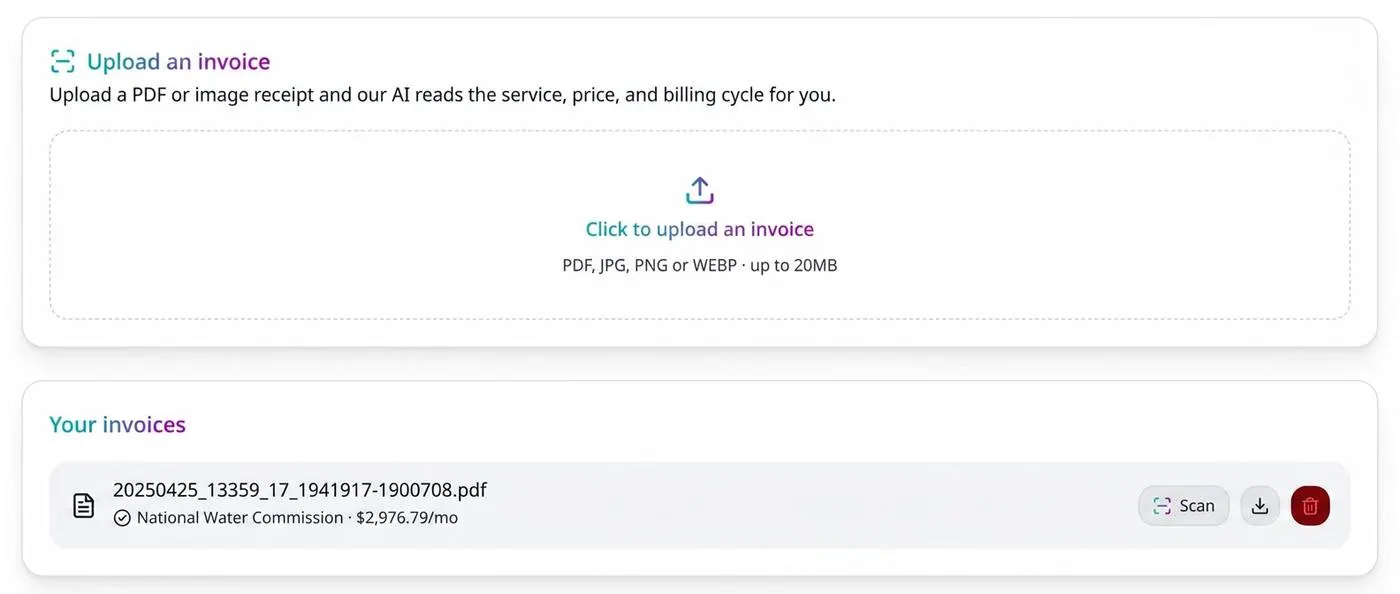
How it works
- 1
Upload the invoice
PDF or image, from your desktop or straight from your phone camera roll.
- 2
AI reads the details
Service name, price, currency, and billing interval are extracted automatically.
- 3
Review, then save
Nothing is added until you confirm the extracted values, so mistakes never reach your dashboard.
Benefits
- Works with PDF and image receipts
- Reads service, price, and billing cycle in one pass
- Keeps you in control with a review step
- Far faster than manual entry for a stack of invoices
- Extracted currency is saved with the subscription
Frequently asked questions
Is the invoice scanner free?
Free accounts get two uploads per month; Pro accounts get unlimited scanning.
What file types are supported?
PDF documents and common image formats such as JPG and PNG.
What happens to my uploaded file?
It is stored privately against your account and is only accessible to you.
Take control of your subscriptions today
Start free — no credit card required for sign up.
Get Started Free